

Why use it
- Never run out of ideas. Spyro AI suggests topics based on your site and your competitors.
- Stay consistent. A clear monthly plan helps you publish regularly, which is what search engines and AI assistants reward.
- Save time. The research and scheduling are done for you - you just review and approve.
How to use it
1
Open the calendar
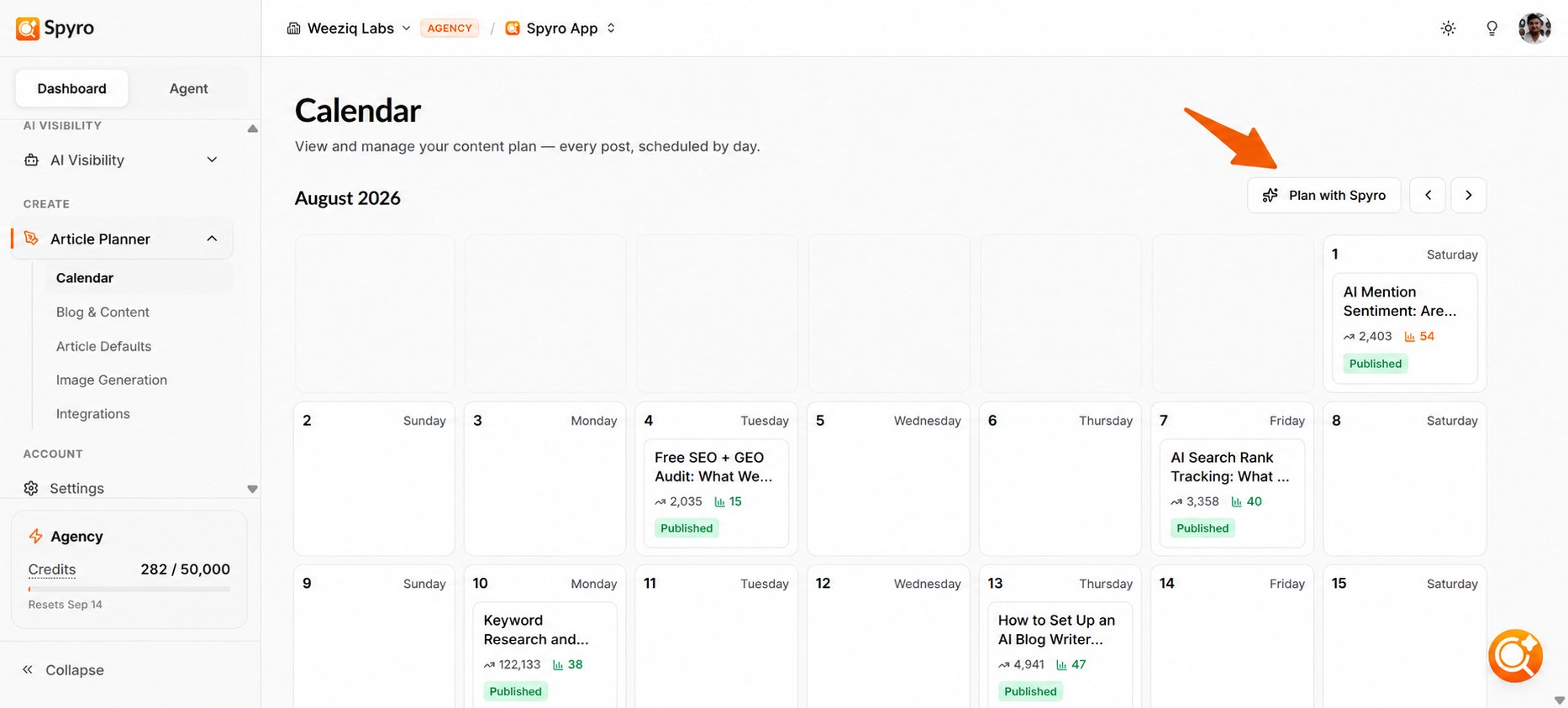
Click Calendar in the sidebar. After you set up your account, Spyro AI has usually already added a starter set of topic ideas, so your calendar won’t be empty on day one.
2
Ask Spyro AI to plan more topics
Use the Plan with Spyro AI panel to ask for more ideas - for example, a specific angle or theme you want to cover. Spyro AI researches fresh topics and adds them to your plan.
3
Schedule or reschedule by day
Each idea sits on a day. To move one, drag it to a different date. This lets you space out your posts however you like.
4
Send an idea to the writer
When you’re ready to publish, open a scheduled idea and start writing. Spyro AI turns it into a full article in the AI writer.
What to expect
The calendar shows one month at a time - use the arrows to move between months. Each idea shows a simple status: scheduled (planned but not written yet), writing (Spyro AI is creating the article right now), and done (the draft is ready to open in the writer). When an article is being written, the board updates on its own, so you don’t need to refresh. Near the top you’ll see your remaining credits. During a trial, this also shows your article limit (1 article total). On paid plans, the number of articles you can write depends on your credit balance - each article costs 250 credits. See Plans, billing & usage for the details.Tips
- Let Spyro AI seed the first batch of ideas, then ask Plan with Spyro AI for more whenever you want to fill out the month.
- Keep a steady rhythm - a few well-spaced posts each week usually beats a big batch all at once.
- Set your tone, style, and images first in Content settings so every article matches your brand.
Related
AI writer
Turn scheduled topics into complete articles.
Spyro AI agent
Chat with the agent to research new ideas.
Content settings
Set the brand tone and style for your articles.
Plans & credits
Understand article limits and credit usage.