

- Publishing connections - so Spyro AI can send finished articles straight to your website.
- Data connections - so Spyro AI can pull in your real search performance.
Publish your articles
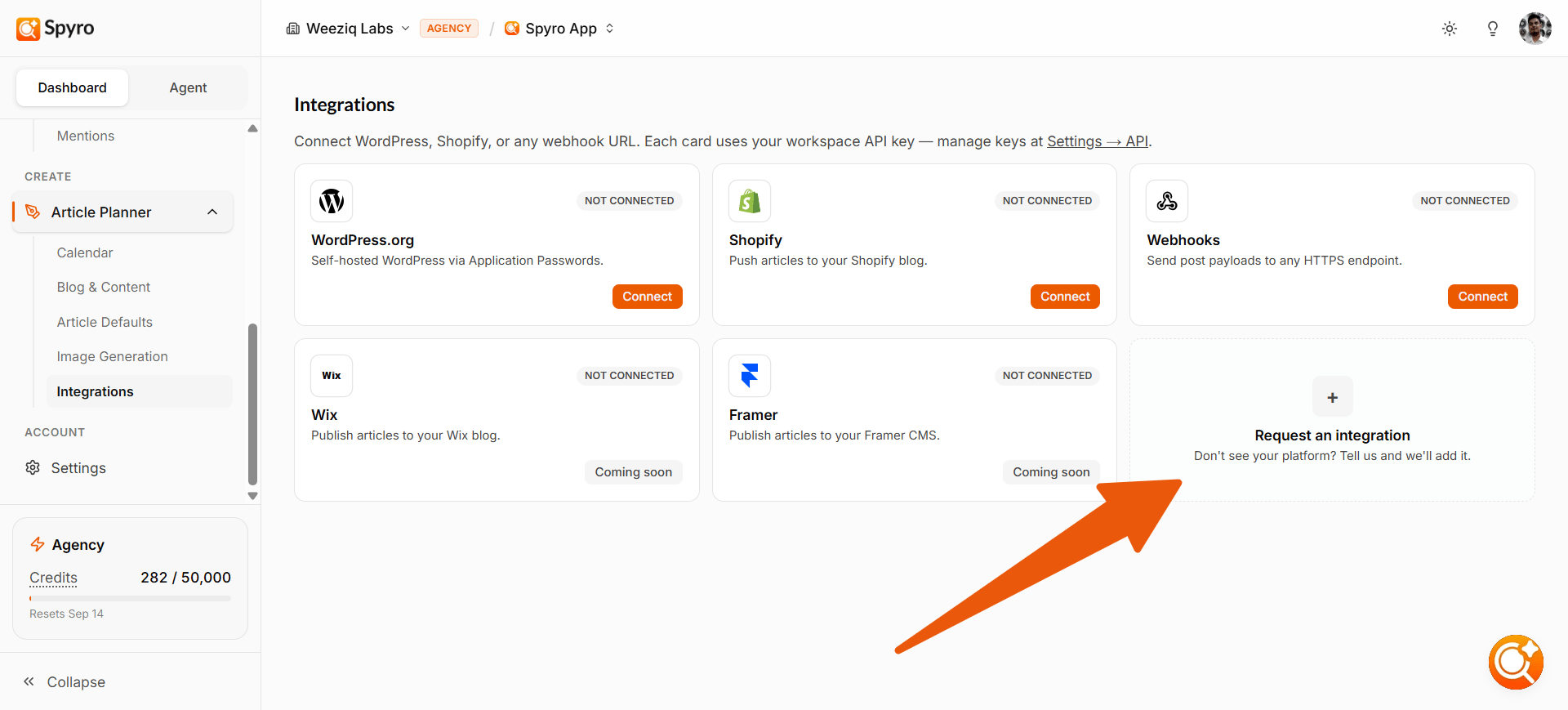
Connect where your blog lives, and you can publish articles from Spyro AI with one click. You can set these up under Content settings → Integrations.WordPress (self-hosted)
For a WordPress site you host yourself.
Shopify
Push articles straight to your Shopify blog.
Webhooks
For sending your articles to any other system that accepts them.
Connect WordPress (self-hosted)
1
Create an Application Password in WordPress
In your WordPress admin, go to your user profile and create a new Application Password. This is a special password just for Spyro AI - safer than your real one.
2
Add it to Spyro AI
In Spyro AI, open Content settings → Integrations, choose WordPress (self-hosted), and paste your site address, username, and the application password.
3
Publish
Now, when you finish an article in the AI writer, you can publish it straight to your site.
Connect Shopify
1
Enter your Shopify store address
In Spyro AI, open Content settings → Integrations, choose Shopify, and enter your store address (for example,
my-store.myshopify.com).2
Connect with Shopify
Click Continue with Shopify and approve the permissions. Spyro AI publishes articles straight to your Shopify blog via the Admin API.
3
Publish
Now, when you finish an article in the AI writer, you can publish it straight to your Shopify store.
Connect a Webhook
Choose Webhooks and paste the web address (URL) that should receive your articles. Spyro AI will send each published article there. This is handy if your site runs on a different system - ask whoever built your site for the right URL.Connect your search data
Connect Google Search Console to bring your real Google search performance into Spyro AI - clicks, impressions, and the pages and searches that bring you visitors. See Google Search Console for the simple sign-in steps. You can also connect Google Analytics 4 to track AI-driven referral traffic - visitors who reached your site from ChatGPT, Perplexity, Gemini, Claude, and other AI engines.API keys (for advanced setups)
If you use other software that needs to talk to Spyro AI directly, you can create an API key - a secret code that connects them. You’ll find this under Settings → API. Most people never need this, so feel free to skip it.Related
AI writer
Publish drafted articles directly to your connected platforms.
Content settings
Enable auto-publishing and configure platform destination rules.
Search Console
Sync your live Google Search Console and GA4 metrics.
Workspace settings
Create API keys and configure custom webhook targets.